Making another teacher the primary account holder

Making another teacher the primary account holder

Before you start: make sure the new Primary Account Holder already has an account. Find out how to do this.

  Click on your name in the top right and select Teacher Accounts.
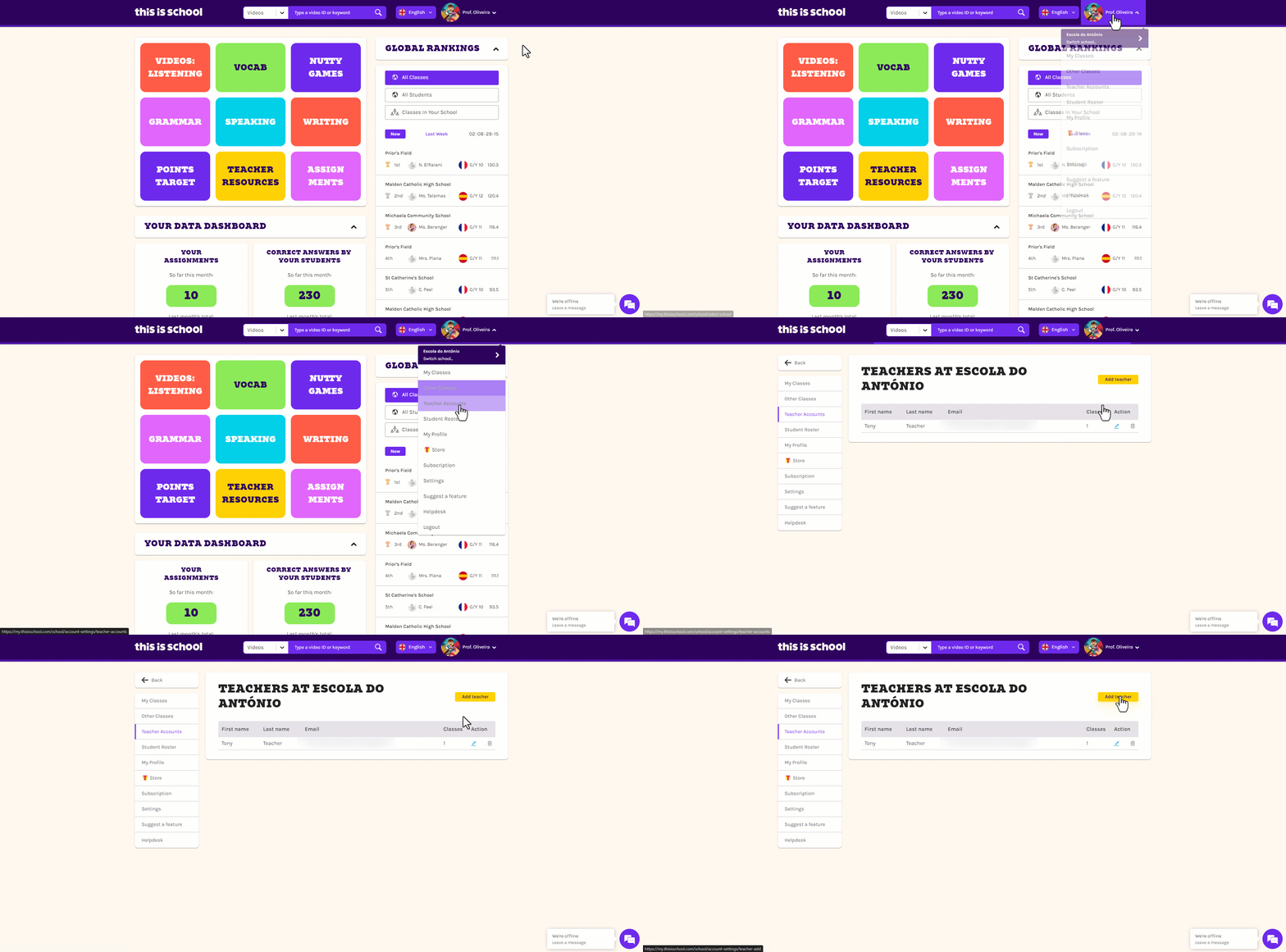

  Click Edit next to the teacher to you want to make the Primary Account Holder.
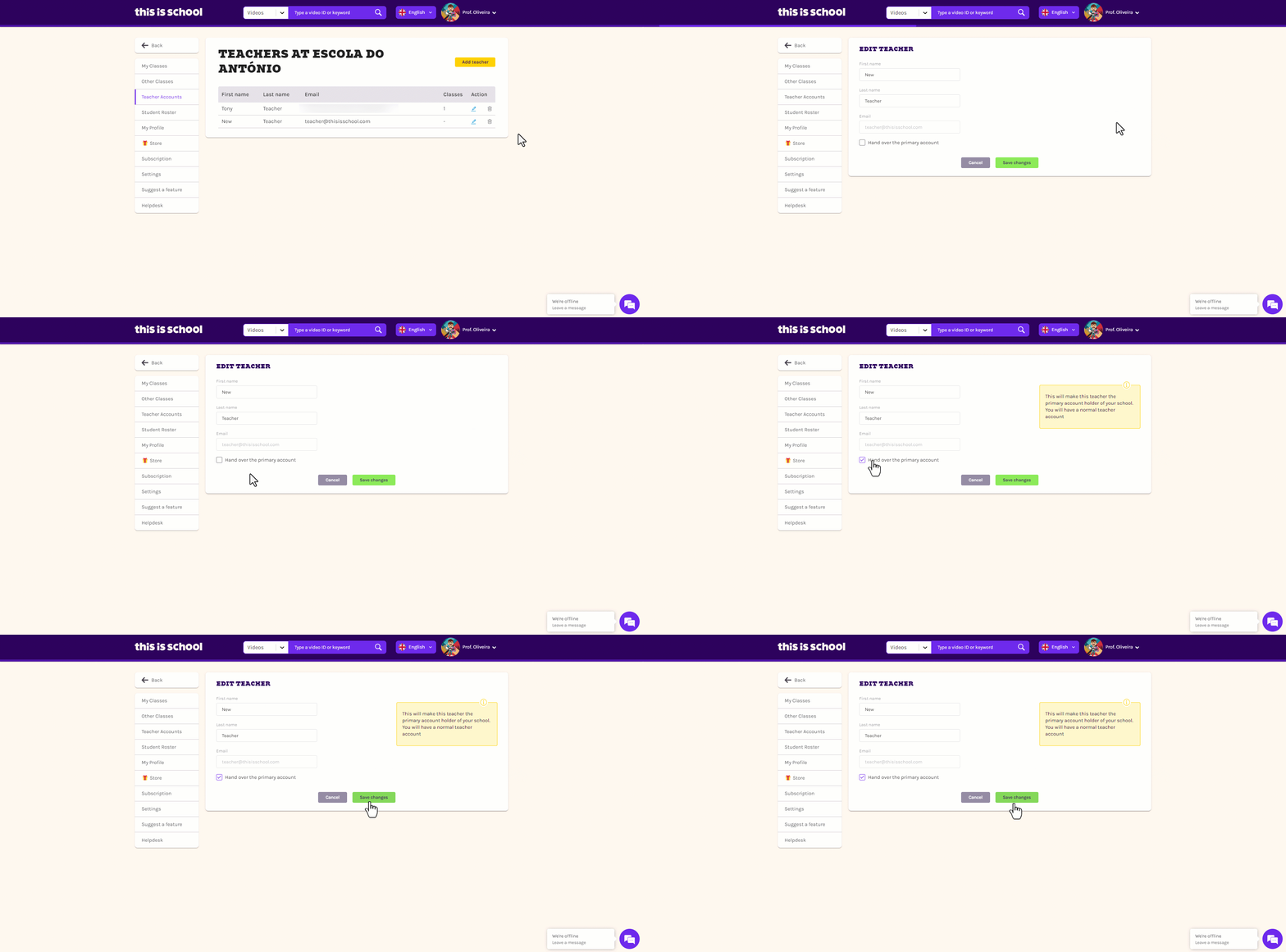

  Check the tickbox that says Hand over the Primary Account

  Click Save Changes.
    • Related Articles

    • Deleting a teacher

      Only the Primary Account Holder can delete other teachers' accounts. Delete the teacher's account Click on your name in the top right-hand corner and select Teacher Accounts. Find the teacher who is leaving in the list shown, click the bin icon to ...
    • Changing class owner

      Only the Primary Account Holder and the current class owner can alter who owns the class. This is helpful if another teacher is going to be taking over the classes without making any changes, temporarily or permanently. Log in to your ...
    • Adding teachers

      Note: Your school’s Primary Account Holder is the only person who can add other teachers. If you’re not sure who this is for your school, email info@thisisschool.com and we’ll let you know! Hover over your name in the top right-hand corner and click ...
    • ClassLink integration with This is School - FAQs

      Take a look at these ClassLink FAQs to get your integration sorted in no time! ? 1: Which email address should I use to log into This is School? ✅ Make sure that you use the same email address that you are registered with on ClassLink. 2: How does ...
    • Using This is School with your VLE/LMS

      Using This is School alongside a VLE/LMS, like Google Classroom, Schoology or Canvas, is a great way to maximise efficiency. Tip 1: Getting students logged in If your school has access to a VLE/LMS, you can use it to help your students access their ...