 Click on Videos: Listening. Navigate via exam board or theme and then select a topic.
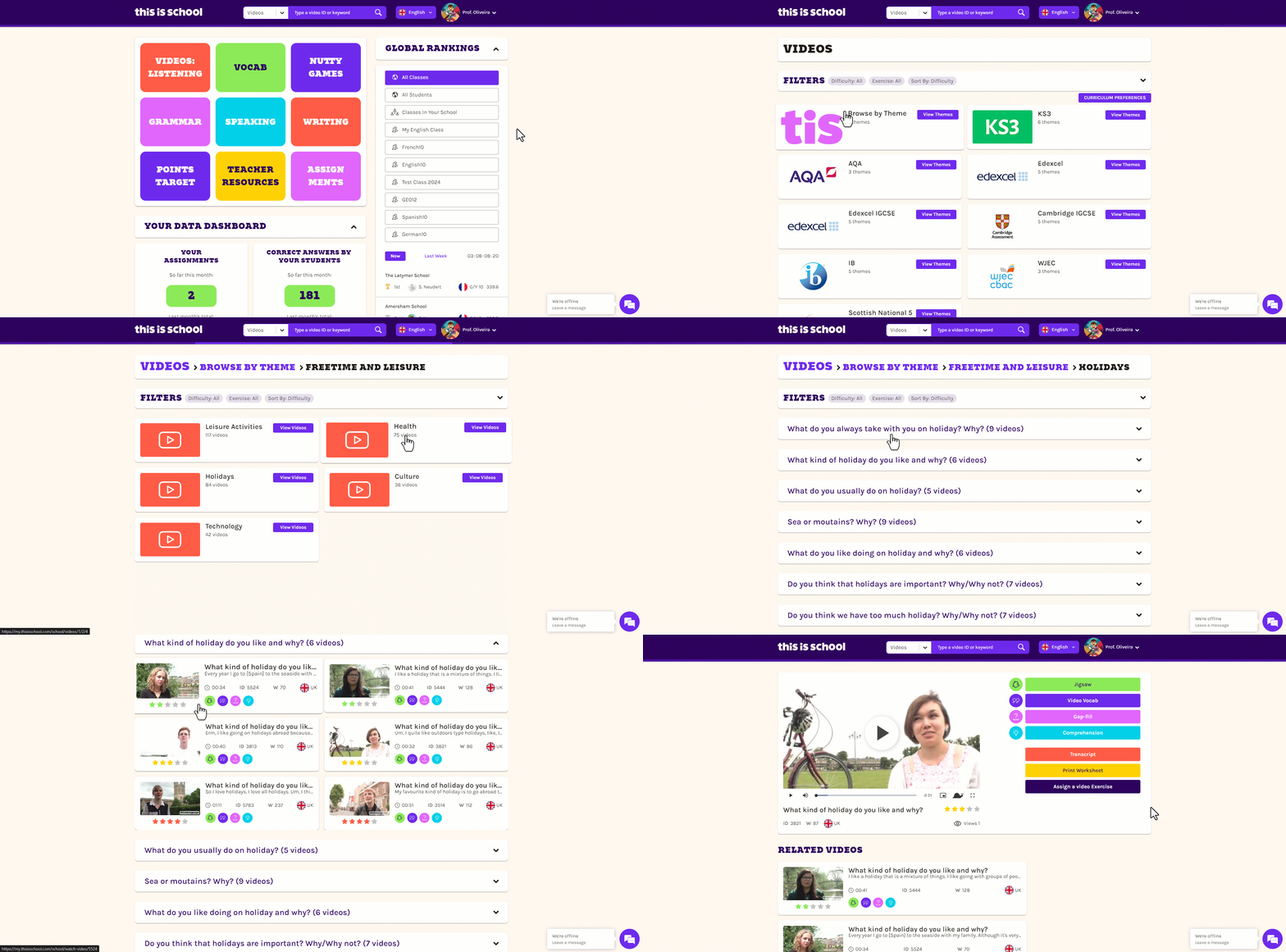
 Choose a video and click on it to open it up.
 Click the Assign a video exercise button.
 Choose the type of exercise you'd like to set, the class(es) you'd like to set it for, select a due date and click Assign exercise.
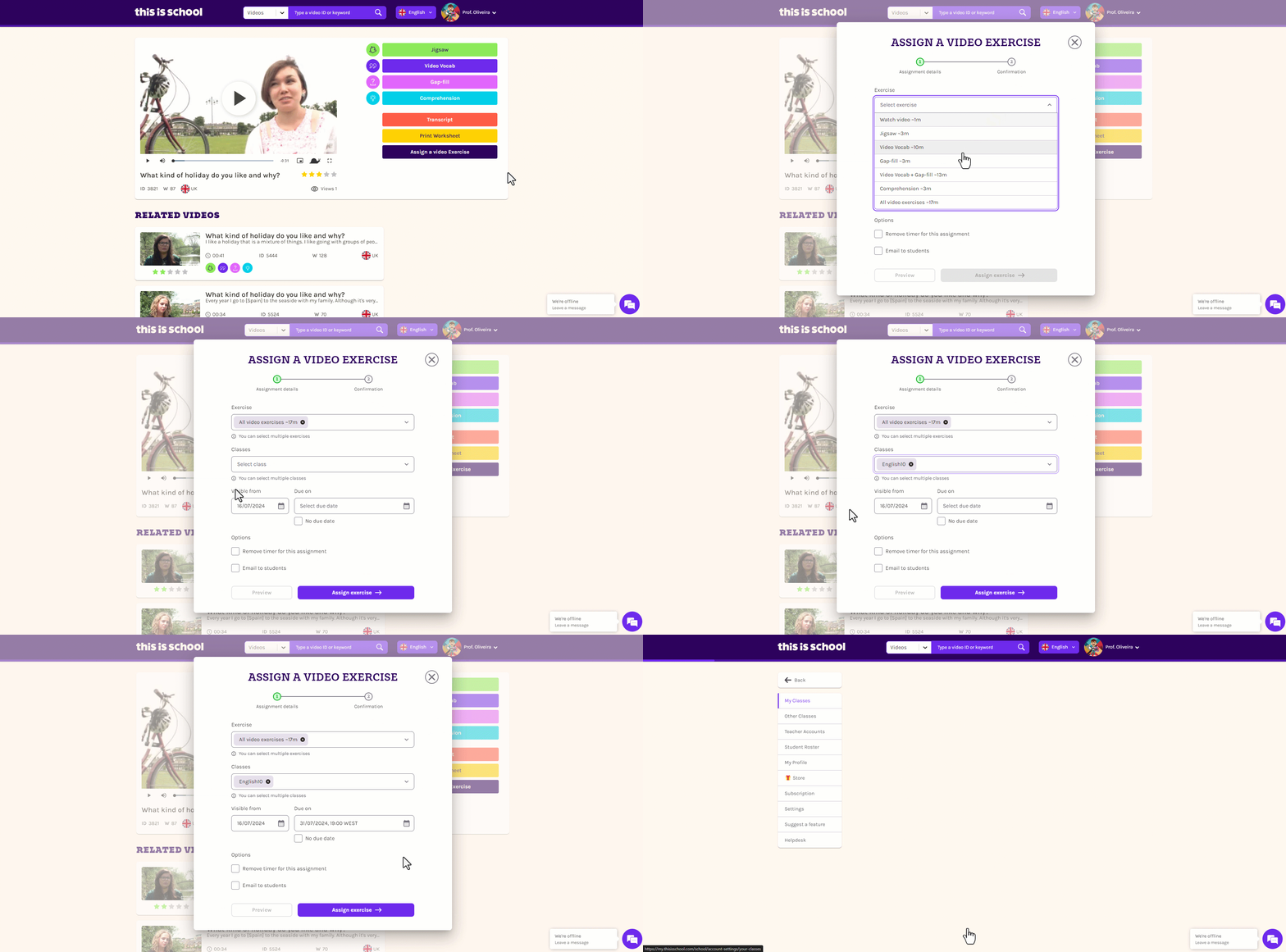
These tasks will now appear on each student's Assignments log!
